If you landed here out of nowhere and want to see what happened before, check out the following post:
Terraform from Zero on GCP – Part 2: Setting up the Environment
Now that we’ve prepared the ground, it’s time to create the first project. In this post, we’ll:
- Create the basic structure of a Terraform project
- Initialize Terraform (
terraform init) - Create and apply a real resource on GCP (a **Cloud Storage bucket**)
File Structure
Create a folder for your project and add the following files:
Terraform/
├── main.tf
├── variables.tf
└── outputs.tf
Writing the main.tf
The main.tf file is where all the logic is detailed, where all the resources to be provisioned are defined. Obviously, various segmentations are made in the process to facilitate maintenance, but the file that is read and validated initially is main.tf
provider "google" {
  project     = var.project_id
  region      = var.region
  credentials = file(var.credentials_file)
}

resource "google_storage_bucket" "static_site" {
  name     = "${var.project_id}-static-site"
  location = var.region
  force_destroy = true
}
Writing the variables.tf and variables.tfvars
Here is the declaration file for the variables to be used in the process.
Did you notice the "${var.project_id}-static-site" above? The idea here is to inform main.tf that there is a variable called “project_id” and that it is available to be used.
What is its value? If it doesn’t have a “default” value, like the region variable, it will need to be declared in the variables.tfvars file.
variable "project_id" {
  description = "GCP project ID"
  type        = string
}

variable "region" {
  description = "Region where resources will be created"
  type        = string
  default     = "us-central1"
}

variable "credentials_file" {
  description = "Path to credentials file (JSON)"
  type        = string
}
Then, create a terraform.tfvars file with the values of the variables to be used:
project_id = "your-project-id"<br>region = "us-central1"<br>credentials_file = "/path/to/terraform-sa-key.json"Writing the outputs.tf
output "bucket_name" {
  description = "Name of the created bucket"
  value       = google_storage_bucket.static_site.name
}
Initializing Terraform
Run the commands in the terminal:
terraform init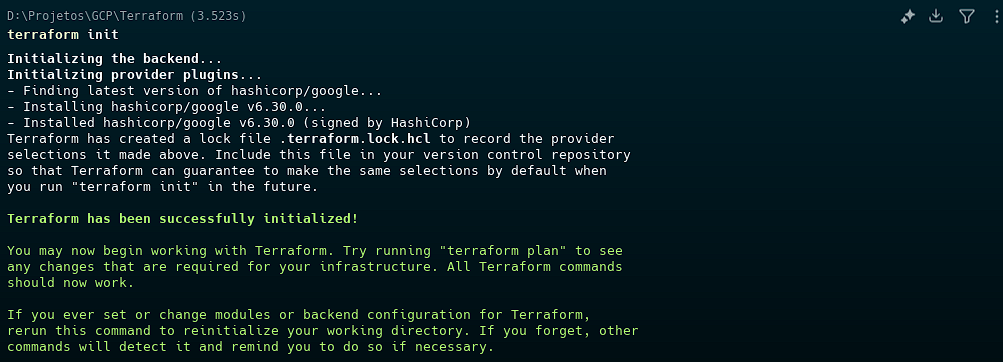
Planning and applying
First, see what will be created:
terraform plan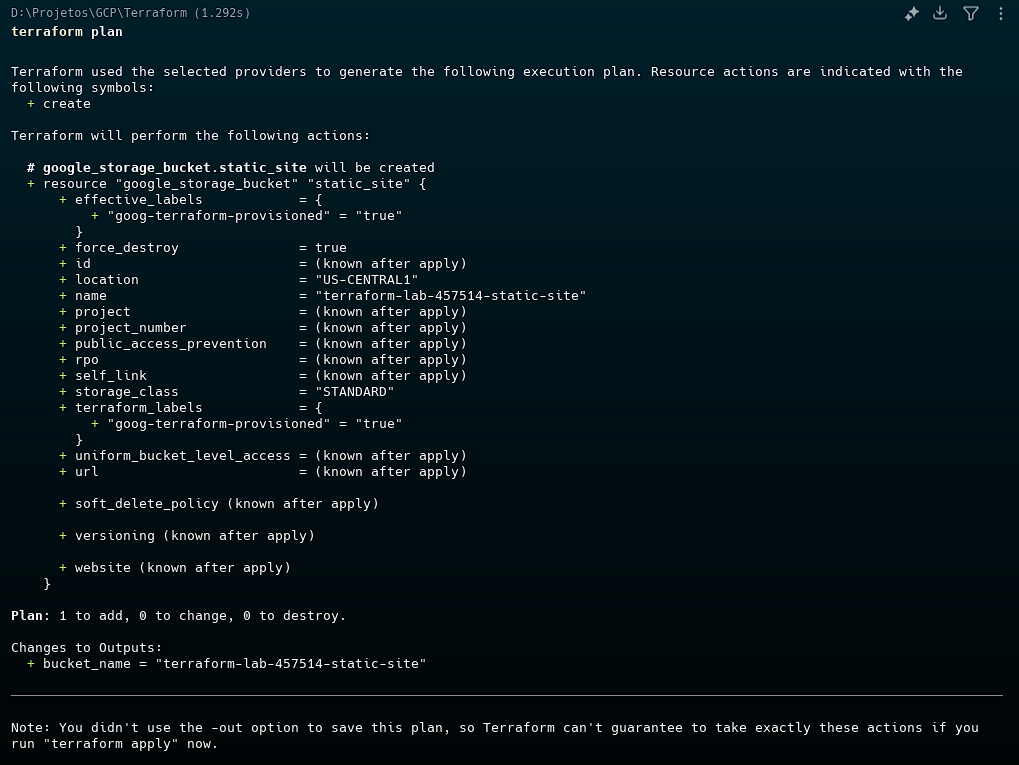
Then, apply:
terraform applyConfirm with yes when prompted.
Result
If everything is correct, you’ll see something like:
Apply complete! Resources: 1 added.And the name of the created bucket will be displayed in the output.
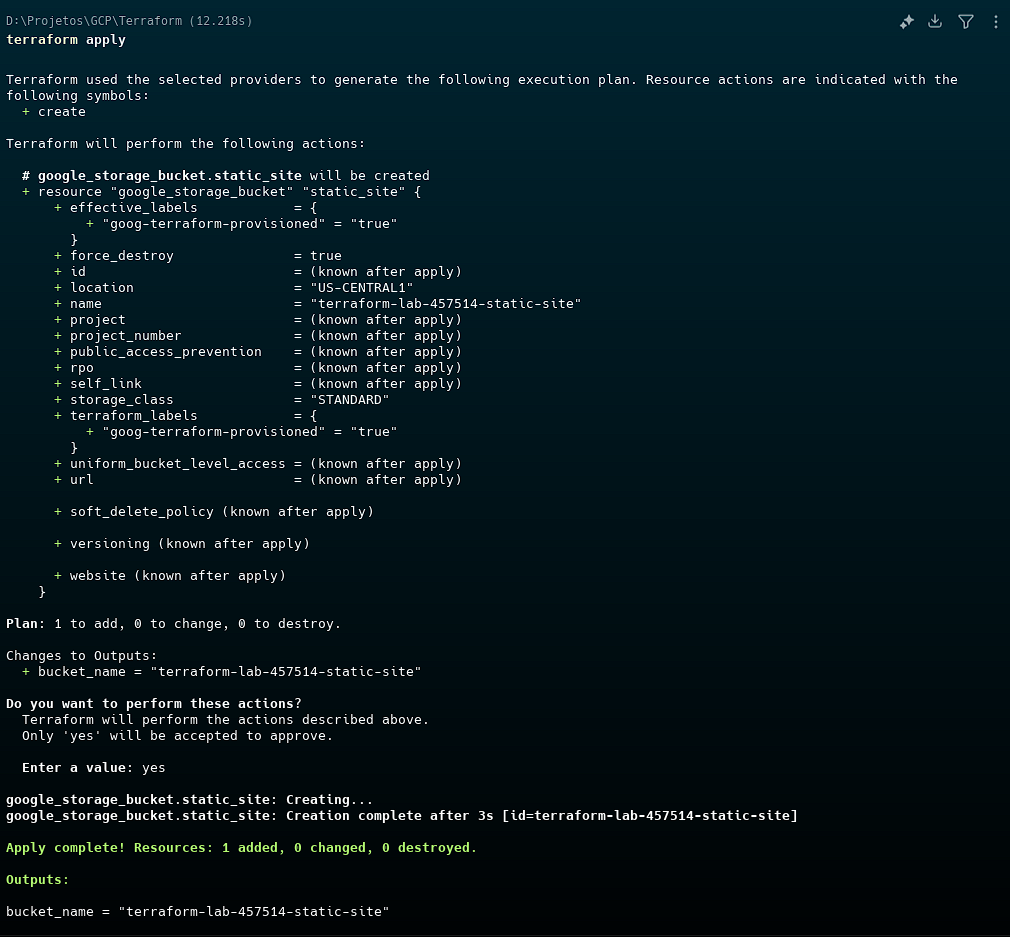
But did it actually create the bucket?

(Optional – but recommended) Cleaning up resources
To destroy everything:
terraform destroyAnd so, we’ve managed to create the first bucket on GCP!
But are we done? What’s coming in the next post?
Hold on… The fun is just beginning!
Now that we’ve created our first resource, we’re going to learn to work better with variables, outputs, and see some best practices, to structure projects in a scalable way.
If you want to go to the next post in the series:
Terraform: Taking the Next Step – Building Infrastructure from Scratch on GCP